How to Make MCQs from Your Notes with AI Free — Practice Tests at Home
Turn your own notes and PDFs into checked MCQ practice, cover the answers while you test yourself, and use every mistake to decide what to read next.
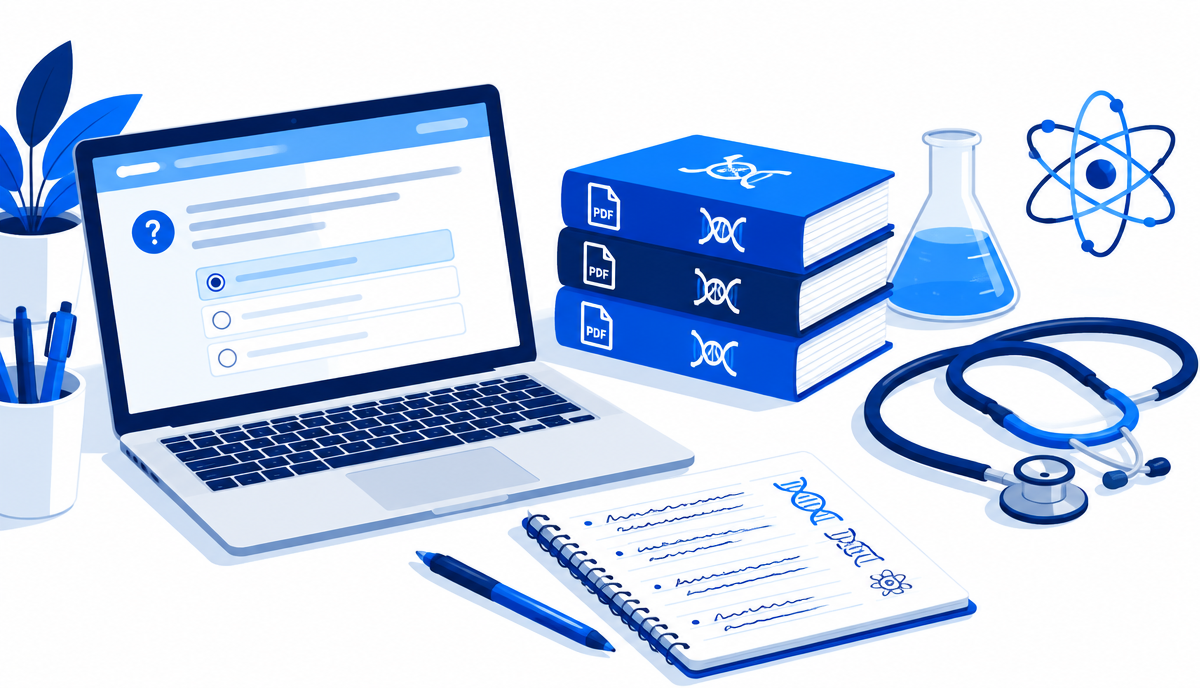
You can make MCQs from your notes with AI free by opening the NovaDocs AI Study Assistant, adding your notes or PDF, and choosing the MCQs option. It generates ten multiple-choice questions with four options, an answer and a short explanation for each question. Cover the answers while you attempt the set, then check your choices against the source. Re-read every topic you answered incorrectly before trying another set.
This turns practice into a useful loop: prepare a readable source, generate questions, answer without help, verify the result and return to the material behind each mistake. The goal is not to collect a large folder of question sets. It is to discover what you cannot yet explain or apply, then repair that gap. This guide shows the complete workflow, with MDCAT, board-exam and class-test examples, plus a practical way to combine MCQs with flashcards.
Why make MCQs from your own notes or PDF?
Test what you can recall without prompts
A page can look familiar while you are reading it, yet be difficult to explain once the book is closed. An MCQ gives you a specific decision to make. You must distinguish the correct statement from alternatives instead of simply recognising a paragraph. Attempt the question before looking at the answer, and commit to one option. That small commitment gives you something concrete to review afterwards. If you guessed, mark the question as uncertain even when your guess was correct; a lucky answer does not show that the topic is secure.
Find weak topics instead of rereading everything
Keep a simple record beside your practice set: question number, topic, chosen option, correct option and reason for the mistake. Several errors around the same definition, process or formula tell you where to return in your notes. This is more informative than a score by itself. One wrong answer may come from misreading a word such as ‘not’, while repeated errors may show that an entire idea needs another reading. Use the pattern to choose your next study task rather than restarting the whole chapter automatically.
Practise the material you are actually studying
Questions made from your own chapter, lecture handout or class notes can focus on the terminology and examples in front of you. That does not make them official exam questions or a prediction of what will appear in a test. It makes them a targeted self-check. Keep your syllabus, teacher’s instructions and prescribed books as the authority for scope. If your notes contain an incomplete explanation, generating questions from them will not fill that gap reliably; consult the full source first.
Prepare notes that produce clearer questions
Start with one defined topic
Choose a manageable source, such as one chapter section or one lecture, and know what you want to test. A focused set makes it easier to connect mistakes with a passage you can revisit. Remove unrelated cover sheets or duplicated handouts before you begin when they would confuse the topic. If the material is spread across several PDFs, Merge PDF can combine the intended files into one working document. Check the combined page order and make sure no required page is missing before using it for practice.
Check scans and recognised text
A photographed page may contain blur, cropped lines, shadows or handwriting that is difficult to read. Inspect the image before generating questions. When text needs to be extracted from a scan, use AI OCR, then compare the recognised text with the page. Pay particular attention to scientific terms, negatives, units, decimal points and formula symbols. Correct source errors before practice; otherwise, a question and all of its options can be built around the same mistake. Keep the original page available for this comparison.
Translate only after checking the source
If you understand the material better in another language, AI PDF Translator can help you prepare a translated study copy. Review subject terminology, definitions and any examples against the original before making MCQs from that copy. Translation is a comprehension aid, not a substitute for checking technical wording. Keep both versions when possible so you can compare an unclear phrase. For an exam with prescribed language or terminology, practise the wording you will actually need as well.
If your source material begins as rough handwritten pages or images, the guide to an AI notes generator from PDFs, images and handwriting explains how to turn those inputs into structured notes. Treat the generated notes as a draft: compare headings, facts and examples with the source before converting them into questions. Clean inputs make the later verification step much easier.
Step-by-step: make and practise MCQs with AI
Step 1: upload your notes or PDF
Open the AI Study Assistant and choose the file that covers your selected topic. Confirm the filename before continuing, especially when you have several versions of the same chapter. If you are using scanned pages, look through them first to ensure that every important line and diagram label is visible. Keep the original notes open in another tab, window or printed copy. You will need them to verify both correct answers and tempting but incorrect options.
Step 2: generate MCQs with AI
Choose MCQs from the Questions & Practice options. The current option asks for ten questions, each with A, B, C and D choices, followed by an answer and a short explanation. Read the complete set before treating it as practice material. Check that each question belongs to your chosen topic, that only one option is clearly supported, and that the explanation agrees with your notes. If a question is ambiguous, discard it or rewrite it rather than memorising its stated key.
For a second round, ask for questions about the exact subtopic that caused trouble, such as one process, one group of definitions or one type of application. A narrower request makes review easier, but it still needs source checking. Do not assume that polished wording proves an answer is correct. The prescribed textbook, teacher’s correction or original lecture remains your reference for the content being tested.
Step 3: hide the answers and test yourself
The generated MCQs include answers and explanations; the tool does not provide a separate hide-answers switch. Create that test condition yourself. Cover the answer portion with paper or another window, copy only the questions and options into a separate document, or scroll so the answer is outside your view. Write down A, B, C or D before revealing anything. Also add a question mark beside choices you were unsure about. Do not change an answer after seeing the key; the honest first attempt is what makes the review useful.
Work through the set without searching the notes unless your purpose is an open-book learning round. For closed-book practice, wait until all answers are recorded before checking. Then compare each choice with the generated answer and the original source. Record three outcomes: correct and confident, correct but uncertain, or incorrect. The middle group deserves review too, because it often contains partial understanding that a single score would hide.
Step 4: re-read the topics you got wrong
Return to the exact passage behind each missed or uncertain question. Read enough of the surrounding section to understand the idea, not just the sentence containing the answer. Explain in your own words why the correct option fits and why your chosen option does not. If the source and generated explanation disagree, pause the set and resolve that difference using your authoritative course material. Add a short correction to your mistake log so the same misunderstanding is visible next time.
Use Chat with PDF to ask a focused question about a passage you still do not understand, or AI PDF Summarizer to create a compact overview of the section before rereading it. Compare either output with the source. Then explain the idea without looking and attempt a fresh question later. Generating more MCQs without this reading and correction stage only gives you more chances to repeat the same error.
Worked example: MDCAT chapter practice
Suppose you are revising one biology chapter for MDCAT. Begin with the prescribed textbook section and your checked class notes rather than a mixed folder of unrelated material. Generate one MCQ set in the AI Study Assistant, then attempt it with the answers covered. Mark not only incorrect choices but also answers selected by elimination without understanding. These uncertain answers identify passages worth revisiting before the next practice round.
If three questions involve the same process, draw that process from memory and compare each step with the textbook. If the error is a confused pair of terms, write the distinction in one sentence and create a flashcard for each term. Check every generated explanation against the prescribed source, including small conditions such as ‘usually’, ‘only’ or ‘not’. This is personal practice from your material, not a claim that the questions reproduce the official MDCAT paper. Use your syllabus and official guidance to decide what belongs in revision.
Worked example: board exam revision
For board exam revision, use MCQs as one part of a broader routine. After studying a chemistry section, generate a short set to check definitions, relationships and conditions. Write your choices first, then review the source behind every mistake. If a question tests an equation or numerical relationship, work through the reasoning on paper rather than memorising the letter of the answer. Option order can change, and understanding the relationship is what lets you answer a differently worded question.
Follow the MCQ round with the other formats your exam requires, such as short answers, derivations, diagrams or longer explanations. An MCQ can reveal a weak concept, but it cannot demonstrate every writing or problem-solving skill. Keep a page of topics that need written practice beside your mistake log. During the next session, begin with one of those topics, explain it without notes and then use a fresh MCQ set as a check rather than as the entire revision session.
Worked example: preparing for a class test
For a class test on a recent lesson, collect the exact handout, worked examples and corrections provided by the teacher. Generate questions only after checking that this set is complete. Attempt them, then sort mistakes into simple actions: reread a definition, redo an example, ask about a confusing step or practise a diagram. This turns the result into a short study list for the next session. If the teacher emphasised a particular method, make sure your review follows that method rather than an unexplained alternative.
On the following day, cover your earlier answers and try explaining the missed ideas before looking at the questions again. Then attempt a new set or rewrite the earlier questions with changed option order so you are not relying on position memory. Finish by checking the topics you previously marked uncertain. For a small test, a focused cycle of source reading, self-testing and correction is more useful than generating many sets that you never review.
What makes a good MCQ?
One clear question and one defensible answer
The stem should ask something specific and include the conditions needed to answer it. Avoid wording that depends on an assumption the learner cannot see. The correct option must be supported by the source, and no other option should be equally reasonable under the stated conditions. Negative stems such as ‘Which is not…’ need particular care because a missed word changes the task. Read the stem and every option together before accepting the answer key.
Plausible options that test a real distinction
Useful distractors are believable alternatives based on related ideas or common confusions. They should not be absurd, obviously unrelated or different only because of a grammatical clue. Keep options broadly comparable in length and style so the longest or most detailed choice does not stand out automatically. At the same time, do not make options tricky through vague wording. A good question checks understanding; it does not hide the task behind unnecessary wordplay.
| Part | What to check | Problem to fix |
|---|---|---|
| Question stem | One specific task with enough context | Vague wording or missing conditions |
| Correct answer | Clearly supported by the checked source | Unsupported key or conflicting explanation |
| Other options | Plausible but clearly incorrect | Absurd choices or more than one defensible answer |
| Wording | Consistent terms and clear negatives | Grammar clues, ambiguity or confusing phrasing |
| Explanation | States why the answer fits the source | Repeats the key without clarifying the idea |
A simple example to inspect
Consider this practice item: ‘Which organelle is most directly associated with cellular respiration?’ A) Nucleus, B) Mitochondrion, C) Ribosome, D) Golgi apparatus. The intended answer is B. The alternatives are related cell structures, so they are more plausible than unrelated objects. Before using the item, confirm the wording matches your course material and that the other options do not become defensible under an unstated condition. A short explanation should describe the relevant distinction, not merely say ‘B is correct’.
Common mistakes when practising with AI-generated MCQs
Only memorising questions and answer letters
Remembering that the answer to question four is C does not necessarily help when the wording or option order changes. After answering, explain the underlying idea and why each alternative is wrong. Cover the set and teach the concept aloud, apply it to a new example, or answer a differently phrased question. Use repeated MCQs to check understanding only after you can explain the content without recognising the answer’s position.
Never re-reading the notes behind a mistake
A wrong option is a direction back to the source, not the end of the task. Read the relevant passage, correct your notes and identify the exact misunderstanding. Then try to explain the idea before generating another set. If you move immediately to more questions, you may collect scores without resolving the gaps that produced them. Keep your mistake log short and actionable: topic, misconception, correction and the page or section to revisit.
Trusting every generated answer without verification
AI can produce a plausible-looking question with an ambiguous option or an incorrect explanation. Check the stem, all four choices and the answer against your source. Discard a flawed item rather than adapting your understanding to fit it. For formulas, units, names and exceptions, compare details carefully. Ask a teacher or consult the prescribed material when the sources you trust do not resolve the disagreement.
Using MCQs as the only form of revision
MCQs are useful for checking distinctions and recall, but many courses also require written explanations, calculations, diagrams or extended reasoning. Match practice to the assessment you will take. Use a question set to locate a weak topic, then practise that topic in the required format. Include rest, reading and worked examples in the routine as needed. A balanced plan leaves room to repair weaknesses rather than repeatedly measuring them.
Use MCQs together with flashcards
MCQs ask you to choose between alternatives; flashcards ask you to produce an answer from a prompt. Use them for different jobs in the same review cycle. After a missed MCQ, turn the specific misunderstanding into one focused card, such as a definition, distinction or step in a process. Avoid copying an entire MCQ with all four options onto a card. The card should target the piece of knowledge you need to recall without a menu of choices.
A practical sequence is: attempt the MCQs, review the source, create or revise a few flashcards for the gaps, and attempt a fresh question later. Generate the cards from the same checked material in the Study Assistant, and verify their fronts and backs before using them. The guide on how to make flashcards from a PDF with AI explains that workflow in more detail. Review uncertain cards before adding more, and retire or rewrite cards that remain ambiguous.
A repeatable home practice routine
- Choose one topic and assemble the checked notes or PDF sections you need.
- Generate an MCQ set in the AI Study Assistant and inspect every item.
- Cover the answers, record your first choices and mark uncertain guesses.
- Check the key against the source and classify correct, uncertain and incorrect answers.
- Re-read weak passages, ask focused follow-up questions and write the correction in your own words.
- Make focused flashcards for specific gaps, then return later for a fresh practice round.
Keep the routine small enough to complete the review stage. A checked set with a useful mistake log is more valuable than several untouched downloads. When you are ready, open the NovaDocs AI Study Assistant, choose your own notes and start with one topic. Practise first, verify second and let the mistakes decide what you read next.
Frequently Asked Questions
- How do I make MCQs from my notes with AI free?
- Open NovaDocs AI Study Assistant, add your notes or PDF and choose MCQs. It generates ten four-option questions with answers and short explanations. Review the items against your source before using them for practice.
- Can I hide the answers while taking the practice test?
- The generated set includes answers and explanations, and there is no separate hide-answers switch. Cover that portion, scroll it out of view or copy only the questions and options into another document before recording your choices.
- Are AI-generated MCQs always correct?
- No. A generated question can be ambiguous or contain an unsupported answer. Check the stem, every option and the explanation against your notes or prescribed textbook, and discard or rewrite flawed questions.
- Should I memorise the MCQs I get wrong?
- Do not memorise only the answer letter. Re-read the related topic, explain why the correct option fits and why your choice does not, then attempt a differently worded question later.
- How should I combine MCQs with flashcards?
- Use MCQs to identify weak or uncertain topics, then make focused flashcards for the definitions, distinctions or steps behind those mistakes. Review the cards and return to fresh MCQ practice after rereading the source.
Ready to try it yourself?
All the PDF & AI tools mentioned in this article — free to use.
Related articles

Get weekly PDF & AI tips
Join thousands of students and professionals getting productivity tips in their inbox.