Free AI Document Translator – 100+ Languages (Urdu, Arabic, Hindi)
PDFs, Word files, scans and handwritten pages — translated into 100+ languages with layout, tables and meaning intact. Here is how AI document translation works in 2026.

A research student in Karachi downloads a 60-page paper published in German. A teacher in Hyderabad prepares a Sindhi worksheet from an English textbook chapter. A procurement officer in Lahore receives a supplier contract in Simplified Chinese and has forty minutes before the meeting. None of them need a language degree. They need the same document, in a language they read fluently, with the tables still lined up and the meaning unchanged.
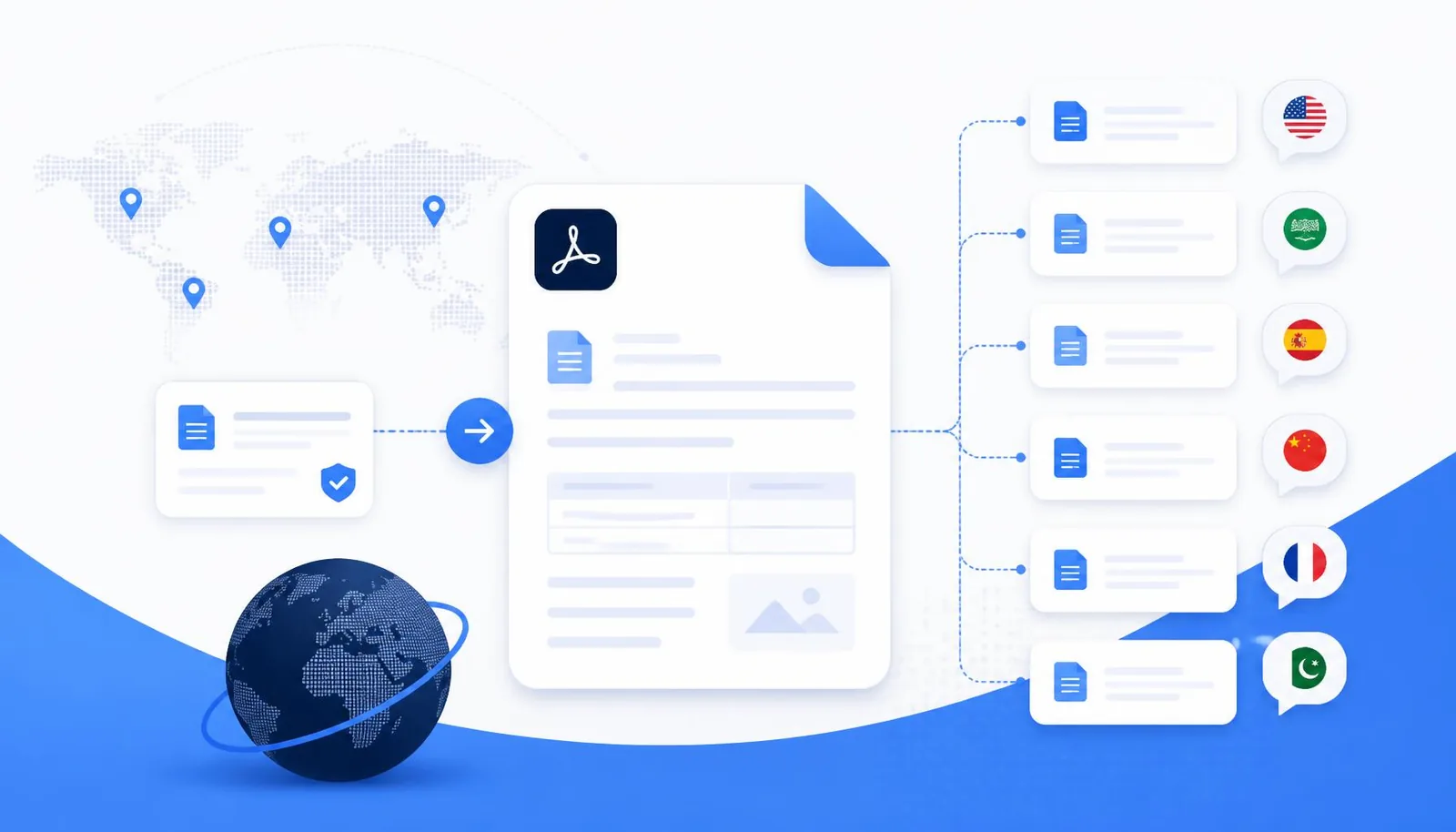
That is the job an AI document translator does. Not a phrase at a time in a text box, but a whole file — a PDF, a Word report, a spreadsheet, a slide deck, a photograph of a handwritten page — rendered into another language while the headings stay headings, the lists stay lists and the numbers stay exactly where they were.
This guide explains how document translation actually works in 2026, what separates a genuinely good translation from a machine-shaped one, which file types you can translate today, and a step-by-step workflow you can run right now with Translate Documents. Everything described here is free to try in a browser, with no installation.
Why AI translation is better than traditional translation
For thirty years, translating a document meant one of three things: paying a professional translator, pasting paragraphs into a free web tool, or asking a bilingual colleague for a favour. Each option trades something away.
A human translator produces excellent prose but costs money and days. Classic machine translation was fast and free but worked sentence by sentence, with no memory of the paragraph before, which is why older translations read like a stack of technically correct fragments. And a colleague who speaks the language is not necessarily trained in your subject matter — legal, clinical or technical wording is a different discipline entirely.
Modern AI translation changes the unit of work. Instead of translating one sentence in isolation, the model reads the surrounding context — the heading above, the table it sits in, the terminology used earlier in the document — before choosing the wording. That single change is what makes the output sound written rather than converted.
What actually improved
- Context windows now cover whole chapters, so a term translated on page 2 stays consistent on page 40.
- Multimodal models read images directly, so a photographed page or a screenshot is translatable without retyping it.
- Structure awareness means headings, bullet lists, numbered steps and tables survive the round trip.
- Register control lets you ask for formal, academic, plain or conversational output rather than one fixed tone.
- Script handling is far stronger for right-to-left languages such as Urdu, Sindhi, Arabic and Persian.
The honest caveat: AI translation is not a substitute for a certified human translator on legally binding, published or safety-critical text. It is, however, dramatically better than the alternatives for the ninety-five percent of documents that simply need to be understood, studied, shared or acted on quickly.
What files can NovaDocs AI translate?
A translator that only accepts pasted text pushes the hard part back onto you. The value is in handling the file as it arrives — including the messy ones.
| Format | Typical use | What is preserved |
|---|---|---|
| Reports, papers, contracts, past papers | Headings, paragraphs, lists, tables, reading order | |
| Word (DOC, DOCX) | Assignments, proposals, letters | Heading levels, lists, emphasis, table structure |
| Excel (XLS, XLSX) | Budgets, data sheets, price lists | Row and column structure, numbers left untouched |
| PowerPoint (PPT, PPTX) | Lectures, pitch decks | Slide order, titles, bullet hierarchy |
| Images (JPG, PNG, WEBP, HEIC) | Photos of pages, signage, book scans | Layout order via OCR before translation |
| Handwritten notes | Class notes, whiteboards, filled forms | Line and section order, list structure |
| Screenshots | Error messages, portals, chat threads | On-screen text order |
| TXT and CSV | Raw exports, data dumps | Line breaks, delimiters, column count |
| Scanned PDFs | Archived and photocopied documents | Recognised text, then full structure |
If a file is a scan rather than digital text, the translator runs OCR first to recognise the characters, reconstructs the reading order, and only then translates. That two-stage pipeline is the reason a photographed page comes back as a clean document instead of scrambled fragments.
Files that are awkward for any translator — very low-resolution photos, heavily stylised handwriting, or pages where two columns overlap — benefit from a quick pre-step. Convert phone photos with Image to PDF so all pages travel as one file, or pull specific pages out of a large book scan with Split PDF before uploading.
Supported languages
NovaDocs AI translates between more than 100 languages. The table below covers the most requested ones, with notes on what to expect from each.
| Language | Script | Direction | Notes |
|---|---|---|---|
| English | Latin | LTR | Source or target for every other language |
| Urdu | Nastaʿlīq (Perso-Arabic) | RTL | Natural everyday Urdu, not Hindi-transliterated |
| Hindi | Devanagari | LTR | Simple modern wording, common loanwords kept |
| Sindhi | Perso-Arabic (Sindhi) | RTL | Authentic Sindhi vocabulary, not Urdu substitutes |
| Arabic | Arabic | RTL | Modern Standard Arabic by default |
| Chinese (Simplified) | Han (Simplified) | LTR | Mainland conventions and terminology |
| Chinese (Traditional) | Han (Traditional) | LTR | Taiwan-standard wording, validated for purity |
| Turkish | Latin | LTR | Modern Istanbul Turkish with correct diacritics |
| French | Latin | LTR | Formal or conversational register on request |
| German | Latin | LTR | Handles long compound technical terms |
| Spanish | Latin | LTR | European or Latin American variants |
| Portuguese | Latin | LTR | European or Brazilian variants |
| Italian | Latin | LTR | Strong for academic and legal prose |
| Japanese | Kanji, Kana | LTR | Politeness level adapted to document type |
| Korean | Hangul | LTR | Formal written style for reports |
| Russian | Cyrillic | LTR | Accurate case handling for technical text |
| Bengali | Bengali | LTR | Natural Bangla, academic or plain |
| Punjabi | Shahmukhi or Gurmukhi | RTL / LTR | Script chosen explicitly, never mixed |
| Persian | Perso-Arabic | RTL | Natural Iranian Persian phrasing |
| Indonesian | Latin | LTR | Standard Bahasa Indonesia |
| Malay | Latin | LTR | Standard Bahasa Melayu |
Beyond this table sit another eighty-plus languages, from Dutch, Polish, Swedish and Greek to Pashto, Balochi, Saraiki, Kashmiri, Swahili, Amharic, Thai, Vietnamese, Tamil, Telugu, Marathi and Gujarati. In every case the translator preserves the document's structure — you get a translated document, not a wall of text.
Special attention to Urdu, English and Sindhi
Most global translation tools treat South Asian languages as an afterthought. Urdu output drifts into Hindi vocabulary, Sindhi gets quietly replaced with Urdu, and right-to-left paragraphs come back with punctuation on the wrong side. NovaDocs AI was built in Pakistan, and these three languages get dedicated handling.
- Urdu output is checked for natural everyday phrasing rather than heavy Sanskritic or literary vocabulary.
- Sindhi is translated using authentic Sindhi words in the Perso-Arabic Sindhi script — never Devanagari, never Urdu stand-ins.
- Right-to-left rendering keeps punctuation, numerals and embedded English terms correctly placed.
- Hindi output uses the simple modern wording an educated native speaker writes online — फ़ाइल, not संचिका.
- Punjabi asks which script you want, Shahmukhi or Gurmukhi, instead of guessing.
For a student translating an English past paper into Urdu, or a teacher building a Sindhi handout from an English chapter, this is the difference between output you can hand out and output you have to rewrite.
How AI maintains natural translation
Quality is not a single setting. It comes from several mechanisms working together, and it is worth understanding them because they tell you how to get better results.
Context-aware translation
The model sees the paragraph, the section heading and the document type before it commits to a word. "Charge" in a hospital discharge summary and "charge" in a battery manual are different words in almost every target language, and context is what tells them apart.
Natural wording over literal wording
Literal translation is the classic failure mode: every word is correct and the sentence is unreadable. The translator is instructed to restructure sentences into the natural word order of the target language, which is why a well-translated Urdu paragraph does not read like an English sentence wearing Urdu clothes.
Grammar and meaning preservation
Tense, number, gender agreement, formality and negation all have to survive. AI translation handles agreement far better than older systems, and critically it preserves negations and conditionals — the places where a small error changes the meaning completely.
Professional localization
Localization goes past words: date formats, currency symbols, units, address order and honorifics. A Japanese business document that keeps American date formatting reads as unfinished, even when every sentence is accurate.
Technical terminology
Domain terms are kept consistent across the whole document, and terms that people genuinely use in English — API, PDF, OCR, PhD, ISO — stay in English rather than being force-translated into words nobody says. Brand names, including NovaDocs AI, are never translated.
Educational content
Study material has its own requirements: definitions must stay precise, worked examples must keep their numbering, and formulas must not be touched. When you translate a chapter and then run it through the AI Study Assistant, you want the same facts in both languages — so numbers, equations and citations are passed through unchanged.
The test of a good document translation is simple: can a native reader tell it was translated? If the answer is no, the structure and the wording both did their job.
Translate more than just PDFs
The reason a document translator earns a place in your workflow is that real work does not arrive as clean PDFs. It arrives as whatever was to hand.
- PDFs — reports, journal articles, contracts, government forms and past papers.
- Images — a photograph of a textbook page, a printed notice, a product label.
- Screenshots — a portal in a language you do not read, an error dialog, a chat thread.
- Handwritten notes — a classmate's notes, a whiteboard, a filled-in form.
- Research papers — abstracts, methods and results, with citations left intact.
- Assignments — briefs handed out in one language and submitted in another.
- Books and long documents — translated chapter by chapter to keep quality high.
- Presentations — slide decks where the bullet hierarchy has to survive.
- Office documents — Word, Excel and PowerPoint files in their original structure.
Pair translation with the rest of the toolkit and longer jobs get easier. Turn a stack of photos into one file with Image to PDF, pull just the chapter you need using Split PDF, recombine the finished pieces with Merge PDF, and export pages as pictures for slides with PDF to Image.
How to translate a document
The full workflow takes under two minutes for a typical file. Here it is step by step.
- Open Translate Documents in any browser on desktop, tablet or phone.
- Upload your file — drag a PDF, Word, Excel, PowerPoint, TXT or CSV file in, or take a photo of a printed or handwritten page.
- Let auto-detection identify the source language, or set it manually when a document mixes two languages.
- Choose your target language from the 100+ list. For Punjabi, pick Shahmukhi or Gurmukhi explicitly.
- Pick a tone if the document needs one — academic for papers, formal for contracts, plain for teaching material.
- Start the translation and let the AI read the whole document before it writes. Scans pass through OCR first.
- Review the structured output: headings, lists and tables appear as they did in the source.
- Spot-check the parts that matter — numbers, names, dates, negations and any legal clause.
- Export the result, then continue working on it with the rest of the toolkit.
- Finish the file: Compress PDF before emailing, or Protect PDF if it is confidential.
Getting better output on hard files
- Photograph pages flat, in even light, with the whole page in frame — OCR accuracy sets the ceiling for translation quality.
- Translate very long books in chapters rather than in one pass; quality and consistency both improve.
- If a PDF is a scan, run OCR first and confirm the text is correct before translating.
- Need an editable version afterwards? Convert with PDF to Word, edit, then rebuild with Word to PDF.
- For a long document you only need the gist of, run AI Summarizer first and translate the summary.
Benefits of AI translation
The practical differences show up clearly side by side.
| Factor | Traditional translation | NovaDocs AI |
|---|---|---|
| Turnaround | Hours to several days | Seconds to a few minutes |
| Cost | Per word or per page fees | Free for everyday document translation |
| File types | Usually text pasted or retyped | PDF, Office, images, scans, handwriting, TXT, CSV |
| Formatting | Rebuilt by hand, often simplified | Headings, lists and tables preserved automatically |
| Scanned documents | Retyped manually before translating | OCR runs automatically, reading order reconstructed |
| Consistency of terms | Depends on the individual translator | Consistent across the whole document |
| Languages available | Limited by who you can hire | 100+ languages on demand |
| Right-to-left scripts | Frequently mishandled by generic tools | Dedicated Urdu, Sindhi, Arabic and Persian handling |
| Revisions | A new request and a new invoice | Re-run instantly with a different tone or language |
| Availability | Office hours | Any device, any time |
The place traditional translation still wins is certified, legally binding and published work, where a named human takes professional responsibility for the wording. Use AI for understanding, studying, internal circulation and drafts — and a certified translator for anything you sign or publish.
Who should use NovaDocsAI?
- Students — translate lecture notes, past papers and journal articles into the language you revise in, then generate quizzes with the AI Study Assistant.
- Teachers — build bilingual handouts from a single English source and hand out Urdu or Sindhi versions the same afternoon.
- Researchers — read papers published in German, Japanese or Chinese, and prepare abstracts for international submission.
- Business teams — process supplier quotes, invoices and specifications from overseas partners without waiting on an agency.
- Lawyers — understand foreign-language correspondence and exhibits quickly, then commission certified translation only where it is legally required.
- Doctors and clinicians — read patient records, discharge notes and research summaries that arrive in another language.
- Government employees — handle citizen applications, circulars and forms across Urdu, Sindhi and English.
- Content creators — localise scripts, captions and posts for audiences in multiple regions.
- Freelancers — deliver work to international clients in their language without outsourcing.
One pattern shows up across all of them: translation is rarely the last step. Most people translate, then ask questions of the result with Chat with PDF, condense it with AI Summarizer, or sign and return it with Fill & Sign PDF.
Privacy and security
Documents worth translating are often documents worth protecting — medical records, contracts, exam papers, client work. Three questions matter, and they should have plain answers.
- Is the transfer encrypted? Yes. Uploads and results travel over HTTPS.
- Is the file kept? Files are processed to produce your translation within the session and are not retained afterwards.
- Is my document used to train models? No. Your content is not used as training data.
Some sensible habits on top of that, whichever tool you use: split out only the pages that actually need translating with Split PDF rather than uploading a whole client file; remove a password with Unlock PDF only for as long as you need it, and re-secure the result with Protect PDF; and avoid sending material that a confidentiality agreement forbids you to process through third-party services at all.
For regulated work — clinical, legal or financial — treat AI translation as a working draft that informs your decision, and keep the original alongside it in the record.
Frequently asked questions
Frequently Asked Questions
- How many languages can NovaDocs AI translate?
- More than 100, including English, Urdu, Hindi, Sindhi, Arabic, Simplified and Traditional Chinese, Turkish, French, German, Spanish, Portuguese, Italian, Japanese, Korean, Russian, Bengali, Punjabi, Persian, Indonesian and Malay. Try it on Translate Documents.
- Does translation keep my document's formatting?
- Yes. Headings stay headings, bullet and numbered lists keep their structure, tables keep their rows and columns, and URLs, numbers and code are passed through unchanged.
- Can it translate scanned PDFs and photographs?
- Yes. Scans and images run through OCR first, which recognises the characters and rebuilds the reading order, and the recognised text is then translated.
- Can AI translate handwritten notes?
- Usually, yes — clear handwriting in a well-lit, flat photograph gives good results. Very stylised or faint handwriting is harder, so photograph the page squarely and at high resolution.
- Is the translation accurate enough for academic work?
- It is accurate enough to read, study and revise from, and it keeps citations, formulas and figures intact. For a thesis or a paper you are submitting, have a fluent reader review the final wording.
- Is Urdu and Sindhi translation actually natural?
- Yes. Urdu output is checked for natural everyday phrasing rather than literary vocabulary, and Sindhi is produced with authentic Sindhi words in the Perso-Arabic Sindhi script — not Urdu substitutes.
- Do you support both Simplified and Traditional Chinese?
- Yes, as separate targets. Simplified uses Mainland conventions and Traditional uses Taiwan-standard wording, and each output is validated so the two scripts are never mixed.
- Is the document translator free?
- Yes, document translation is free to use in the browser with no installation and no watermark on your output.
- Are my files private?
- Uploads are encrypted in transit, files are processed only to produce your translation and are not retained afterwards, and your content is never used to train models.
- What can I do with the file after translating it?
- Continue in the same workspace: ask questions with Chat with PDF, condense it with AI Summarizer, edit it via PDF to Word and Word to PDF, combine files with Merge PDF, shrink it with Compress PDF, or sign it with Fill & Sign PDF.
Conclusion
Language stopped being the bottleneck the moment translation started working on documents instead of sentences. A paper in German, a contract in Chinese, a photographed page of Sindhi notes — each is now a two-minute job that returns a readable, properly structured file rather than a block of text you have to rebuild.
Use it the way it works best: translate the whole document, check the numbers and the clauses that carry weight, and keep the original beside the translation for anything formal. That habit gives you the speed of AI with the confidence of a reviewed document.
Translate your document instantly with NovaDocs AI — 100+ languages, formatting preserved, free in your browser. Then keep going: AI Study Assistant, Chat with PDF, OCR, AI Summarizer, PDF to Word, Word to PDF, Merge PDF, Split PDF, Compress PDF, Image to PDF, PDF to Image, Protect PDF, Unlock PDF and Fill & Sign PDF.
Ready to try it yourself?
All the PDF & AI tools mentioned in this article — free to use.
Related articles

Get weekly PDF & AI tips
Join thousands of students and professionals getting productivity tips in their inbox.