Translate Documents Into 100+ Languages With AI
Layout-preserving AI translation for PDFs, Office files and scans — 100+ languages including English, Urdu and Sindhi.
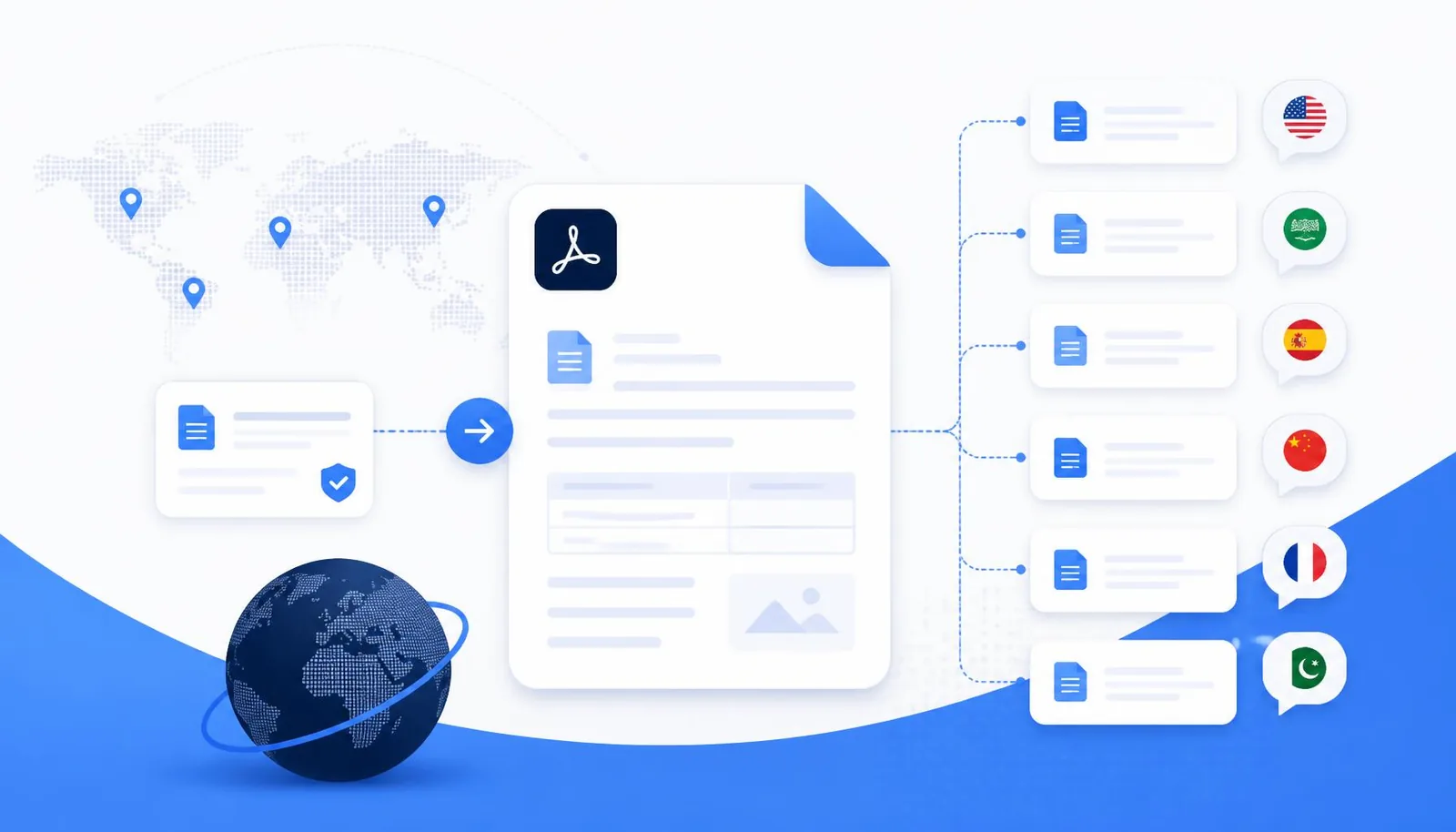
Old-school document translators do one thing: extract raw text, translate the words, and dump the result into a plain text file. That worked for casual use, but it fails for anything real — contracts, research papers, textbooks, government forms.
NovaDocs AI's AI Translator takes a different approach: it preserves the document's structure. Headings remain headings. Tables keep their columns. Lists stay lists. Right-to-left languages render correctly. The translated file looks like the original — just in a different language.
Why layout-preserving translation matters
- Legal documents rely on numbered clauses
- Academic papers rely on section hierarchies
- Financial reports rely on tables and figures
- Textbooks rely on chapters, headings and callouts
A flat text translation destroys all of that. NovaDocs AI keeps the visual and semantic structure so the translated document remains usable.
100+ languages, including the ones others forget
Most translators support the big 20. NovaDocs AI supports over 100, with special attention to South Asian languages that are typically underserved:
- English, Spanish, French, German, Italian, Portuguese
- Arabic, Hebrew, Farsi — full RTL support
- Urdu — RTL, ligature-aware rendering
- Sindhi — full script and RTL support
- Hindi, Bengali, Punjabi, Tamil, Telugu
- Chinese (Simplified & Traditional), Japanese, Korean
It works on scanned documents too
Uploaded a scanned image or a photo of a page? NovaDocs AI runs its OCR engine first to extract the text, then translates it — all in one step. This is essential for legacy documents, handwritten notes and photographed textbook pages.
How translation works inside NovaDocs AI
Step by step:
- Upload your file — PDF, DOCX, PPTX, XLSX or image
- Pick a target language (auto-detects the source)
- NovaDocs AI extracts text, preserving layout metadata
- The AI translates each block in context, not word-by-word
- The output is rebuilt into the original layout
- Download as PDF, DOCX or plain text
Contextual translation beats word-by-word
A key difference: NovaDocs AI translates paragraphs, not tokens. That means idioms, technical terms and domain-specific phrases are handled in context. A legal document translated from English to Urdu preserves the meaning of "consideration" as a contractual term, not the everyday sense of "thoughtfulness".
I needed a Sindhi translation of a 40-page policy document. It kept the numbered clauses intact and read like a native document.
Combine translation with other tools
After translating, use AI Summarizer to get a quick recap in the target language, or Chat with PDF to ask questions about the translated document. For distribution, run the file through Compress PDF to shrink it for email, or Sign PDF to add a signature.
Frequently Asked Questions
- Which formats are supported?
- PDF, Word (DOCX/DOC), PowerPoint (PPTX), Excel (XLSX), plain text and images (JPG, PNG, HEIC).
- Is Urdu really supported?
- Yes — with proper RTL rendering, ligature handling and font fallbacks. Sindhi is fully supported as well.
- Can I translate a scanned PDF?
- Yes. The OCR engine runs first to extract text, then translation runs on the extracted content.
- Are translations private?
- Yes. Files are processed only to produce your translation and are never used to train models.
- How long does translation take?
- A typical 20-page PDF translates in under a minute. Larger files may take a few minutes.
Try it now
Open the AI Translator, upload a document, and pick a target language. The first translation is free — no signup required.
Ready to study smarter? Upload any file to NovaDocs AI and instantly summarize, translate, generate notes, quizzes and flashcards with AI.
Ready to try it yourself?
All the PDF & AI tools mentioned in this article — free to use.
Related articles

Get weekly PDF & AI tips
Join thousands of students and professionals getting productivity tips in their inbox.