How to Use AI to Study Smarter in 2026 - Free Guide
A complete guide to using AI for studying in 2026: summarize PDFs, create flashcards, generate quizzes, use OCR, translate notes, and build a smarter study routine.
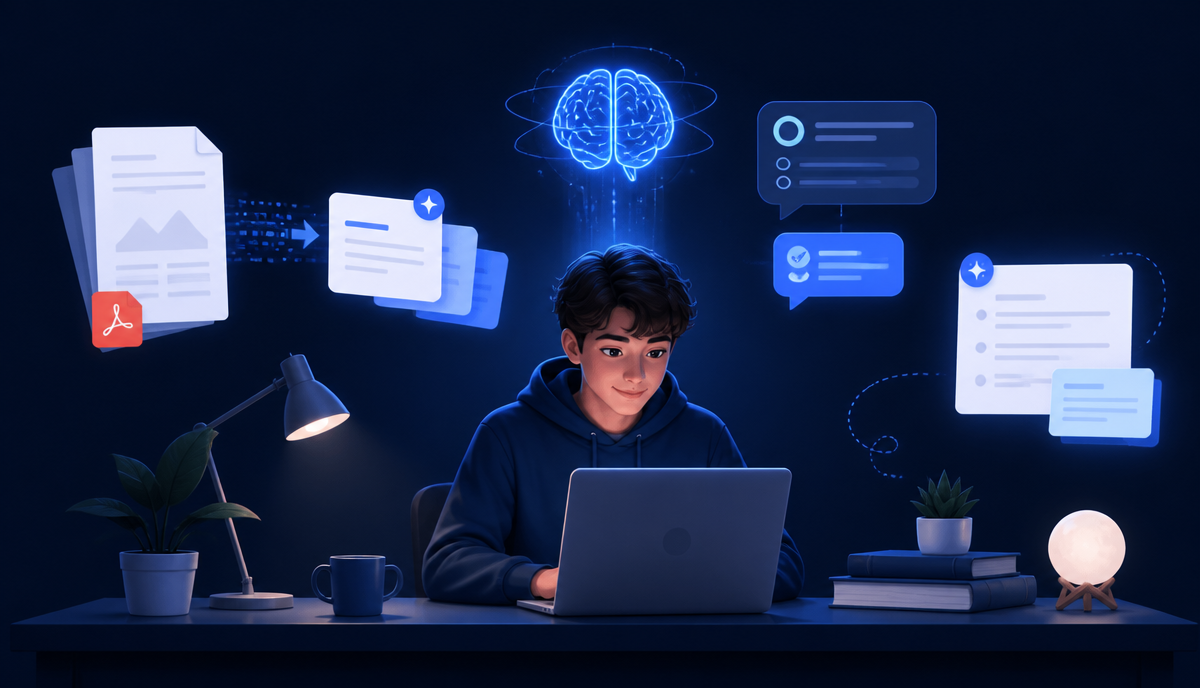
Studying today is not just about reading textbooks and writing pages of notes. Students have to deal with PDFs, lecture slides, screenshots, scanned documents, handwritten notes, research papers, assignments and dozens of pages of study material.
The real challenge is often not finding information — it is understanding, organizing and remembering it. This is where an AI study assistant can make studying easier.
Instead of spending hours turning a long PDF into notes or creating practice questions manually, students can use AI to transform their existing study material into summaries, notes, quizzes, flashcards and easy explanations. But there is an important difference between using AI to avoid studying and using AI to study more effectively.
In this guide, we will explain how to use AI as a study partner while still doing the thinking and learning yourself. If you want a deeper look at the best tools available, read our guide on the best AI study assistant for students.
What Is an AI Study Assistant?
An AI study assistant is a digital learning tool that helps students understand and organize educational material using artificial intelligence. Depending on the tool, you may be able to upload a PDF, image, document or other study material and ask the AI to:
- Summarize a chapter
- Extract important points
- Create study notes
- Explain difficult concepts
- Generate MCQs
- Create quizzes
- Make flashcards
- Translate educational material
- Read scanned documents using OCR
- Explain a topic in simple language
- Answer questions about your study material
If you want to see how this type of workflow works with different file formats, read our guide on how to upload any file and learn faster with AI.
Why Students Are Using AI for Studying
Imagine you have a 50-page PDF to study before tomorrow's exam. You could read every page, highlight important information, write notes, create questions and then revise everything. Or you could use AI to help with the preparation process.
For example:
- Upload your PDF to the AI Study Assistant.
- Ask AI to identify the most important concepts.
- Generate concise study notes.
- Ask for an easy explanation of difficult sections.
- Create flashcards.
- Take an AI-generated quiz.
This does not mean you should skip the original material. Instead, AI can reduce the repetitive work surrounding studying and give you more time for understanding and practice.
1. Turn Long PDFs Into Study Notes
One of the most useful applications of AI for students is PDF summarization. Textbooks, research papers and lecture notes can contain hundreds of pages. Reading everything carefully is sometimes necessary, but a summary can help you understand the overall structure before going deeper.
An AI PDF summarizer can help turn a long document into:
- A short summary
- Detailed notes
- Chapter-wise notes
- Important definitions
- Key concepts
- Exam-focused points
- Questions for revision
For a detailed explanation, read our guide on how to summarize long PDFs with AI. A good workflow is to read the AI-generated summary first and then return to the original PDF for important sections. This gives you both the big picture and the original context.
2. Understand Difficult Topics Easily
Sometimes the problem is not the amount of information — it is the way the information is written. Academic material can contain complicated terminology and technical explanations. Instead of repeatedly reading the same paragraph, ask your AI study assistant:
- Explain this like I'm 8 years old.
- Now explain it at university level.
- Give me a real-life example.
- Explain this step by step.
- What is the easiest way to remember this?
- What is the difference between these two concepts?
- Give me an analogy.
This creates two levels of understanding. For example, if you are studying photosynthesis, you could first ask for a very simple explanation and then ask for the scientific explanation. The goal should be understanding — not simply copying an AI answer.
3. Create Flashcards Automatically
Flashcards are useful because they encourage active recall. Instead of simply reading the same notes again and again, you have to retrieve information from memory. Creating dozens of flashcards manually can take a lot of time.
AI can help turn your study material into questions and answers. For example: Question: What is photosynthesis? Answer: Photosynthesis is the process through which green plants use light energy to convert carbon dioxide and water into glucose and oxygen.
You can ask AI to create flashcards from an entire chapter and then use them for revision. For a dedicated walkthrough, see our guide on how to make flashcards from PDF with free AI.
4. Generate Practice Quizzes and MCQs
One of the best ways to find out whether you actually understand something is to test yourself. An AI study assistant can turn your notes into:
- Multiple-choice questions
- True/false questions
- Short-answer questions
- Practice tests
- Difficult exam-style questions
You can even ask the AI to hide the answers until you respond. For example: Create 20 difficult MCQs from this chapter. Don't show the answers. Ask me one question at a time. After completing the quiz, you can ask for explanations of the questions you got wrong. That turns mistakes into learning opportunities.
5. Use OCR for Scanned and Handwritten Notes
Not all study material is available as clean digital text. Students often have photos of textbook pages, scanned PDFs, handwritten notes, screenshots, whiteboard photographs and pictures of assignments. OCR, or Optical Character Recognition, can identify text inside images and scanned documents.
This is particularly useful when you want to turn a photograph or scanned page into searchable and editable information. If you frequently work with scanned documents, you can also learn more about OCR and extracting text from images through NovaDocsAI's document tools.
6. Translate Study Material
Students don't always study in their first language. A difficult English paragraph can become much easier to understand when translated into a familiar language. AI can help translate educational content while also explaining difficult terminology. For multilingual students, this can be especially helpful when studying technical subjects.
You can ask: Translate this into Urdu and keep the technical terms in English. Or: Translate this into simple English. This can help students understand the concept without losing the original meaning. Try it with NovaDocsAI's AI Translator.
7. Ask AI to Find the Important Points
Before an exam, students often ask: What should I study first? Instead of treating every sentence in a chapter as equally important, ask your AI study assistant to identify:
- Main concepts
- Important definitions
- Key formulas
- Important dates
- Important names
- Commonly tested concepts
- Topics that require deeper understanding
You can then create a prioritized study list. High priority topics are the ones you don't understand yet. Medium priority topics are those you understand but need practice. Low priority topics are the ones you already know well. This creates a more focused study session.
8. Use AI for Active Recall
One mistake students make is spending too much time rereading. Rereading can feel productive, but you also need to test whether you can remember the information without looking at your notes. Try this:
- Read a section.
- Close the notes.
- Ask AI to quiz you.
- Answer from memory.
- Check your answer.
- Review your mistakes.
- Try again later.
You can also chat with your PDF using AI to ask questions about specific parts of your study material instead of searching through dozens of pages manually.
9. Create a Personalized Study Session
You can even ask an AI study assistant to act like a tutor. For example: I have an exam in five days. I can study for two hours each day. Create a study plan based on these chapters. Then provide your material.
The AI can help divide your study time into learning, revision, practice, quiz and weak-topic review. You should still adjust the plan according to your actual progress.
How NovaDocsAI Can Help Students
NovaDocsAI brings document and AI-powered tools together so students can work with their study material more efficiently. You can explore the complete guide to NovaDocsAI to see how different PDF and AI tools can fit into one workflow.
For example, you can start with a long PDF, summarize it, ask questions about it, convert it into editable content and then use AI-powered study features for revision. The goal is to make the process Document → Understanding → Notes → Revision → Practice instead of Document → Hours of manual work → Confusion → More searching.
A Simple AI Study Workflow
Here is a practical routine you can try today.
- Collect your material — Put your PDFs, lecture notes, screenshots and other relevant material together.
- Summarize — Use the AI PDF summarizer to create a concise overview.
- Understand — Ask questions about anything that seems confusing.
- Create notes — Turn important information into structured study notes.
- Make flashcards — Convert definitions, concepts and facts into flashcards.
- Take a quiz — Test yourself without looking at the answers.
- Identify weak areas — Look at the questions you answered incorrectly.
- Review again — Ask AI to explain your weak topics in a simpler way.
- Test yourself again — Repeat the quiz after some time.
This creates a study cycle instead of simply reading information once.
What If You Need to Edit Your Study PDF?
Sometimes you need to convert a PDF into an editable Word document before studying or making changes. In that situation, read our guide on how to convert PDF to Word without losing formatting. This can be especially useful when your study material contains tables, images, headings or other formatting that you want to preserve.
AI Should Help You Learn — Not Replace Learning
AI is powerful, but students should not blindly trust every answer. AI-generated information can sometimes contain mistakes, missing context or incorrect interpretations. For important academic work:
- Check important facts.
- Compare answers with your textbook or lecture material.
- Verify calculations.
- Read the original source.
- Don't submit AI-generated work as your own when your school or university prohibits it.
The best approach is to use AI as a learning assistant, not as a replacement for your own thinking.
Traditional Studying vs AI-Assisted Studying
Here is a side-by-side comparison of common study tasks.
| Task | Traditional Approach | AI-Assisted Approach |
|---|---|---|
| Summarize long PDFs | Manually rewrite notes | Generate an initial summary |
| Flashcards | Write every card yourself | Generate flashcards automatically |
| Quizzes | Create quizzes manually | Generate practice quizzes |
| Explanations | Search repeatedly for help | Ask for simplified explanations |
| Scanned notes | Manually extract text | Use OCR |
| Translation | Translate paragraphs manually | Use AI translation |
| Revision | Re-read notes repeatedly | Practice active recall |
| Organization | Spend more time organizing | Spend more time understanding |
AI does not eliminate the need to study. It can eliminate some of the time-consuming preparation around studying.
Frequently Asked Questions
Frequently Asked Questions
- Is an AI study assistant useful for students?
- Yes. It can help students summarize documents, understand difficult concepts, create revision material and practice with quizzes and flashcards.
- Can AI summarize a PDF?
- Yes. AI-powered PDF summarizers can turn long documents into concise summaries, key points and structured notes. You can learn more in our AI PDF summarizer guide.
- Can AI read scanned PDFs?
- Tools with OCR capabilities can extract text from scanned pages and images.
- Can AI create MCQs from a PDF?
- Yes, AI can generate practice questions from study material. Students should verify that the questions and answers accurately reflect their source material.
- Can AI explain difficult topics?
- Yes. You can ask AI to explain a concept at different levels of difficulty, including simple, beginner-friendly explanations.
- Can AI translate study material?
- Yes. AI translation can help students understand educational material in another language, although important technical terminology should still be checked.
- Is AI good for exam preparation?
- It can be very useful when combined with active recall, practice questions, revision and the original course material.
- Should students depend completely on AI?
- No. AI should support learning rather than replace reading, critical thinking and practice.
Final Thoughts
The future of studying is not about replacing textbooks with AI. It is about using technology to make the learning process more efficient. A long PDF can become structured notes. Notes can become flashcards. Flashcards can become a quiz. Your quiz mistakes can show you what you need to study again.
That is where an AI study assistant becomes valuable. If you have PDFs, notes, screenshots or other study material sitting on your device, try turning that information into an organized study workflow instead of simply reading it again and again.
Study smarter. Understand better. Practice more. Explore NovaDocsAI and turn your study material into a smarter learning workflow.
👉 Try the Free AI Study Assistant Now — upload any PDF, image or document and instantly generate notes, flashcards, quizzes and summaries. No signup. No credit card. Just smarter studying.
Ready to try it yourself?
All the PDF & AI tools mentioned in this article — free to use.
Related articles

Get weekly PDF & AI tips
Join thousands of students and professionals getting productivity tips in their inbox.